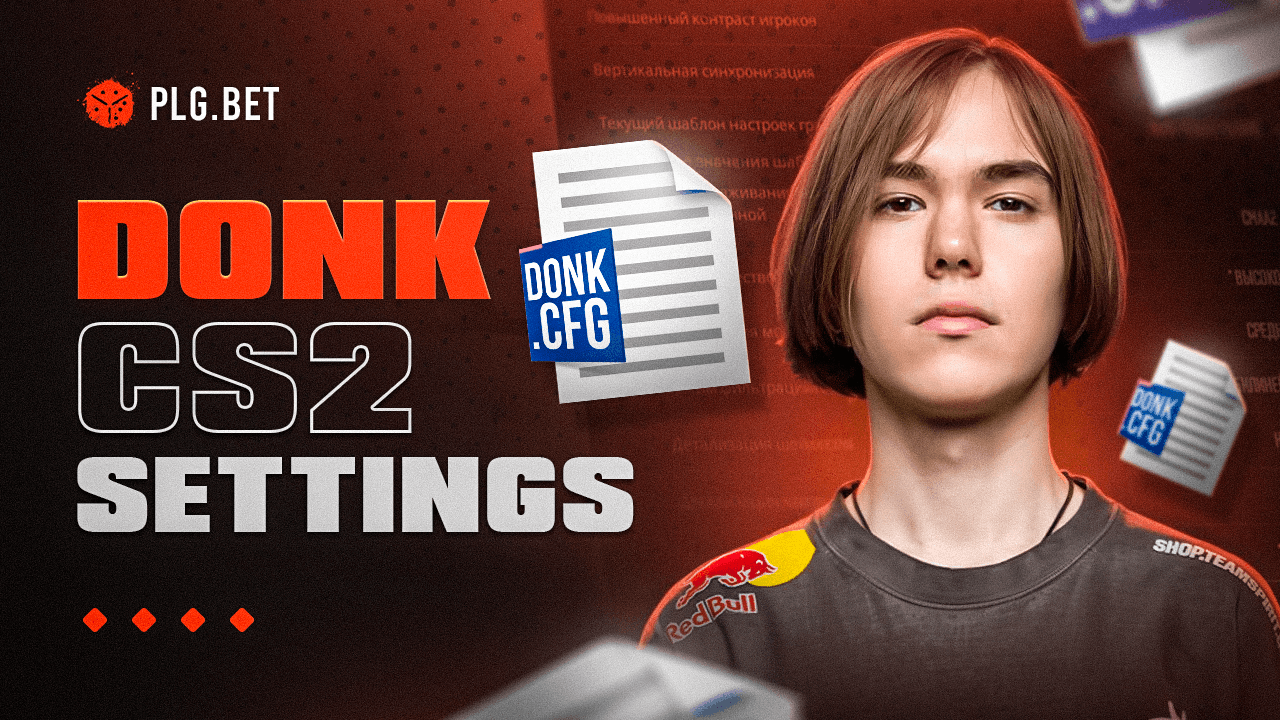
Danil "donk" Kryshkovets, Team Spirit's star rifler and entry fragger, uses 1.25 in-game sensitivity at 800 DPI (1000 eDPI), a minimalist white crosshair (Style 4, Size 1, Thickness 0.5, Gap -3, import code: CSGO-2coDu-XTjA8-hJ5to-7iwyK-BDr7C), and 1280x960 4:3 stretched resolution. His donk CS2 settings prioritize performance over visuals – perfectly suited to his aggressive entry-fragging playstyle.
| Category | Value | Category | Value |
| DPI | 800 | Resolution | 1280x960 |
| Sensitivity | 1.25 | Aspect Ratio | 4:3 Stretched |
| eDPI | 1000 | Crosshair Style | Style 4 |
| Crosshair Color | White | Shadow Quality | High |
Who is donk? Team Spirit's Rising Star
Danil "donk" Kryshkovets is a Russian CS2 pro born January 25, 2007, competing as rifler and entry fragger for Team Spirit. Russia has produced some of the most mechanically dominant CS2 talent – donk represents the peak of that pipeline.
At the Perfect World Shanghai Major 2024, donk won MVP honors as the youngest player ever to earn that award at a Major, per HLTV, having posted a record-breaking 1.49 rating across 14 maps. That performance secured the HLTV No. 1 global ranking at end of 2024, followed by a #2 ranking at end of 2025 behind ZywOo, with a jaw-dropping 1.45 average LAN rating for the year.
Team Spirit Background and donk's Role
Team Spirit is a Russian esports organization competing at the top tier of international CS2 – one of a handful of organizations that consistently wins Majors. The Russian esports ecosystem has grown significantly since 2020, with Team Spirit at its center.
As primary entry fragger, donk leads site executes, creating space through aggressive early movement. Every setting in his donk config maps to those mechanical demands.
- Perfect World Shanghai Major 2024 champion and MVP (youngest ever, per HLTV)
- HLTV No. 1 ranked CS2 player, end of 2024
- Multiple LAN MVPs before age 18
- Debut with Spirit Academy, 2021
donk's Hardware Setup: The Foundation of Performance
donk's gaming peripherals set the physical ceiling for what his in-game settings can deliver – Gaming_Equipment → enables → Optimal settings usage across every configuration layer: the ZOWIE × donk Mouse (Unreleased)'s custom sensor enables 1000 eDPI sweeps; the ZOWIE XL2546K's 240Hz requires uncapped FPS settings; the Logitech G Pro X Keyboard's GX Blue Clicky switches complement his counter-strafe config.
CS2 players can put that edge to use on skin gambling at PLG.bet – a platform built around the CS2 community since 2016 with a Casino Guru Safety Index of 7.5/10.
| Peripheral | Model | Key Spec |
| Mouse | ZOWIE × donk (Unreleased) | Custom wireless, no side buttons |
| Monitor | ZOWIE XL2546K | 240Hz, DyAc+ |
| Keyboard | Logitech G Pro X Keyboard | GX Blue Clicky |
| Headset | Logitech G Pro X | Directional audio |
| Mousepad | SteelSeries QcK+ | Large format |
| GPU | NVIDIA GeForce RTX 4080 Super | High-frame rendering |
| Player | Mouse | Monitor | Keyboard | Headset | Mousepad | GPU |
| donk | ZOWIE × donk (Unreleased) | ZOWIE XL2546K (240Hz) | Logitech G Pro X | Logitech G Pro X | SteelSeries QcK+ | RTX 4080 Super |
| ZywOo | Logitech G Pro X Superlight 2 | ASUS ROG Swift PG259QNR (360Hz) | Logitech G Pro X | Logitech G Pro X | Logitech G840 | RTX 4090 |
| m0NESY | Logitech G Pro X Superlight 2 | ZOWIE XL2566K (360Hz) | Logitech G Pro X | Logitech G Pro X | Logitech G840 | RTX 4090 |
| NiKo | Logitech G Pro X Superlight 2 | ZOWIE XL2546X (240Hz) | Logitech G Pro X | Logitech G Pro X | SteelSeries QcK Heavy | RTX 4090 |
Mouse and Keyboard Selection
The ZOWIE × donk Mouse (Unreleased) is a wireless prototype developed in partnership with ZOWIE, featuring no side buttons and a custom wireless receiver. donk switched to this device before BLAST Bounty Winter 2026 – the switch was confirmed by former Team Spirit captain Leonid "chopper" Vishnyakov. Its lightweight construction enables the wide, controlled sweeps that 1000 eDPI demands over long sessions.
The Logitech G Pro X Keyboard uses GX Blue Clicky switches delivering tactile and auditory feedback for precise keystroke registration. The mechanical actuation supports consistent counter-strafe inputs across extended competitive sessions.
ZOWIE × donk Mouse (Unreleased) – key features for competitive play:
- Custom wireless receiver with low-latency input at 1000Hz polling rate
- No side buttons eliminates accidental input during aggressive entry-fragger duels
- Lightweight wireless construction reduces arm fatigue during extended 1000 eDPI sessions
Logitech G Pro X Keyboard – key features for competitive play:
- GX Blue Clicky switches provide tactile actuation feedback for consistent keystroke registration
- Compact tenkeyless layout minimises desk footprint for wide mousepad sweeps at 1000 eDPI
- Dedicated media controls and USB passthrough for peripheral management at LAN events
Monitor and Audio Configuration
The ZOWIE XL2546K runs at 240Hz with DyAc+ strobing backlight technology that reduces perceived motion blur during rapid crosshair movement. The Logitech G Pro X headset provides directional audio for footstep tracking, while Shure SE215 Clear IEMs deliver passive noise isolation at -37dB for LAN environments.
Audio Equipment and Sound Settings
donk uses the Logitech G Pro X headset for match play and Shure SE215 Clear IEMs at LAN events. In-game audio parameters are tuned for footstep clarity above all.
| Audio Parameter | Value | Competitive Advantage |
|---|---|---|
| Music Volume | 0 | Eliminates audio masking between rounds |
| Round Start Volume | Low | Prevents overload at bomb plant |
| Perspective Correction | On | Improves spatial enemy localization |
| Equalization | Off | Preserves raw positional audio data |
Brand Collaborations and Signature Gear
ZOWIE maintains an official partnership with Team Spirit, supplying monitors and peripherals across the roster. The ZOWIE × donk signature mouse is in development and has not yet been released publicly. Team Spirit's sponsor ecosystem also includes NVIDIA (GPU supply) and SteelSeries (mousepad supply). donk's gear choices reflect those partnerships alongside genuine performance selection.
donk's CS2 Mouse Settings: Precision Control
donk's mouse settings use 800 DPI at 1.25 CS2 sensitivity, producing 1000 eDPI (800 × 1.25 = 1000). This moderate-low eDPI demands greater physical mouse travel per rotation degree, building spray-pattern muscle memory central to the rifler role. Raw Input on and Mouse Acceleration off keep every centimeter of physical movement mapped to the same in-game rotation at any speed.
| Setting | Value | Setting | Value |
|---|---|---|---|
| DPI | 800 | Raw Input | On |
| CS2 Sensitivity | 1.25 | Mouse Acceleration | Off |
| eDPI | 1000 | Windows Sensitivity | 4 |
| Polling Rate | 1000Hz | Zoom Sensitivity | 1.0 |
Finding Your Optimal Sensitivity
eDPI = DPI × Sensitivity. donk's eDPI: 800 × 1.25 = 1000. Calculate your baseline before changing anything.
- Multiply current DPI by current sensitivity to establish your eDPI baseline
- Move in-game sensitivity toward 1.25 in 0.05 increments per week
- Run 15 minutes of stationary-target aim drills before each ranked session
- Evaluate spray and flick accuracy across three sessions per increment
- Lock in only when both feel consistent
donk's CS2 Crosshair Configuration
donk's CS2 crosshair uses Style 4 (Classic Static) in white --- a minimalist design built for visibility optimization across CS2's competitive map pool. White achieves high contrast against the brown, grey, and beige palettes dominant across Mirage, Inferno, Dust 2, and Nuke --- covering the majority of the active competitive map pool without requiring a color switch.
- Style: 4 (Classic Static) --- Size: 1 --- Thickness: 0.5
- Gap: -3 --- Color: White --- Center Dot: No
- Follow Recoil: No --- Outline: No
Crosshair Code and Implementation
donk's CS2 crosshair import code (verify the latest at prosettings.gg as it changes frequently):
CSGO-2coDu-XTjA8-hJ5to-7iwyK-BDr7C
- Open CS2 Settings > Game > Crosshair > Share or Import
- Paste
CSGO-uvHZE-yUFCe-Cwifa-tKKdM-mOJvM and click Import - If distorted – confirm resolution is 1280x960 Stretched first
Bob Settings (Weapon Movement Animation)
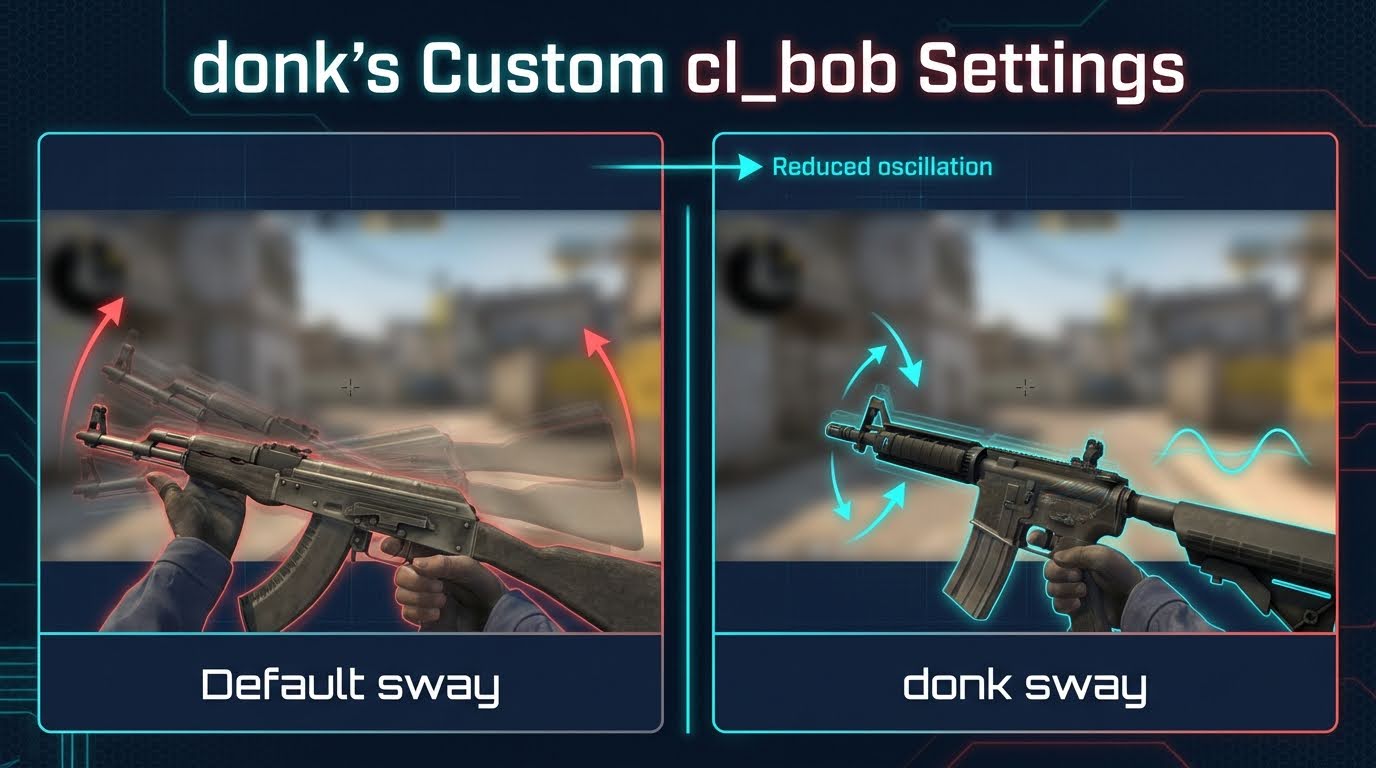
cl_bob settings control viewmodel stability during movement. donk's values reduce weapon oscillation during counter-strafes, tightening the shot window for entry-fragger duels.
cl_bob_lower_amt 5;
cl_bobamt_lat 0.33;
cl_bobamt_vert 0.14;
cl_bobcycle 0.98;The lateral value 0.33 and vertical value 0.14 reduce weapon sway by approximately 34% laterally and 44% vertically versus CS2 defaults (cl_bobamt_lat: 0.5; cl_bobamt_vert: 0.25).
donk's Video Settings: Visibility Over Beauty
donk's CS2 video settings represent the best CS2 settings for performance at the pro tier – the standard approach among professional CS2 players prioritizing enemy visibility over graphical fidelity. The 1280x960 4:3 stretched resolution renders player models approximately 33% wider than 16:9 native (1920x1080), improving target acquisition during rapid crosshair movement.
| Setting | Value | Setting | Value |
|---|---|---|---|
| Resolution | 1280x960 | Shader Detail | Low |
| Aspect Ratio | 4:3 Stretched | Particle Detail | Low |
| Display Mode | Fullscreen | Ambient Occlusion | Disabled |
| Max FPS | 600 | V-Sync | Disabled |
| Global Shadow Quality | High | Texture Detail | Low |
| Option | Resolution | Model Width vs Native | FOV | FPS Impact |
|---|---|---|---|---|
| 4:3 Stretched | 1280x960 | ~33% wider | Reduced | Highest |
| 4:3 Black Bars | 1280x960 | Standard 4:3 | Reduced | High |
| 16:9 Native | 1920x1080 | Standard | Full | Lower |
Resolution and Display Options
The 4:3 stretched aspect ratio enlarges player models ~33% versus 16:9 native (1920x1080). The 4:3 black bars alternative preserves undistorted model proportions but sacrifices that targeting-width advantage. Fullscreen mode removes the OS compositing layer, cutting input latency. Disabled V-Sync with FPS capped at 600 eliminates frame synchronization delay, letting the ZOWIE XL2546K's 240Hz panel render at full capacity without a wait-state buffer.
donk's Advanced Configuration
donk's CS2 config – the complete set of commands and launch parameters defining his competitive environment – enables performance optimization that the standard in-game menu cannot fully deliver. A CS2 config built on autoexec.cfg persists viewmodel positions, bob values, and launch commands across restarts.
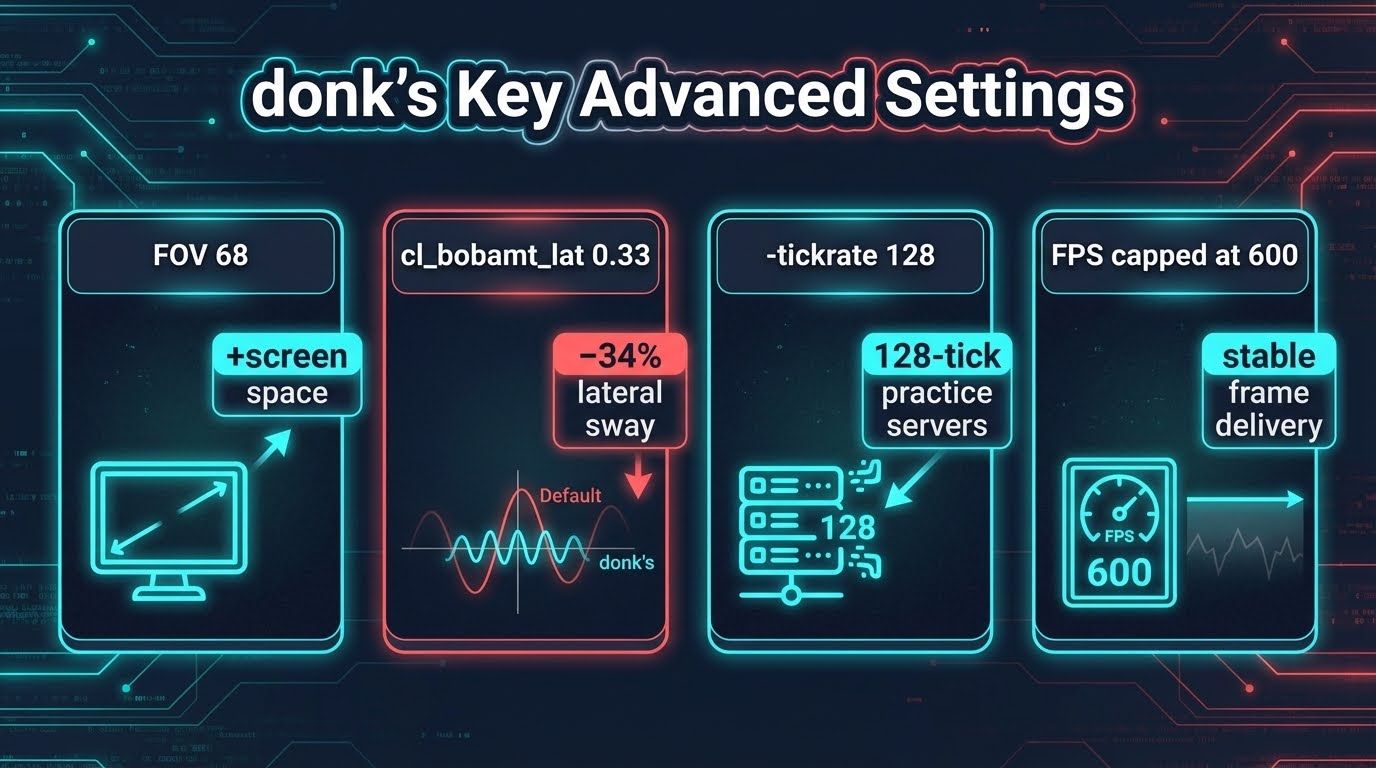
- Viewmodel FOV 68 pushes the weapon to the screen periphery, maximizing central aim space
- Reduced animation settings minimize weapon oscillation during counter-strafes
- Launch options target frame delivery and display refresh synchronization
Launch Options for Maximum Performance
donk's CS2 launch options for maximum performance:
As of March 2026, donk does not use any launch options. No additional commands are required to replicate his configuration.
Viewmodel Settings: Weapon Positioning
donk's viewmodel pushes the weapon right and down, clearing central aim lines for site-entry crosshair placement.
viewmodel_fov 68;
viewmodel_offset_x 2.5;
viewmodel_offset_y -1;
viewmodel_offset_z -1.5;
viewmodel_presetpos 2;
cl_viewmodel_shift_left_amt 1.5;
cl_viewmodel_shift_right_amt 0.75;FOV 68 and Offset Z -1.5 push the weapon model away from the crosshair center, freeing screen real estate at the moment of target acquisition.
donk's In-Game Skins and Inventory
donk's CS2 inventory includes Butterfly Knife Doppler Ruby (Factory New), Specialist Gloves Crimson Kimono (Factory New), AK-47 X-Ray, and AWP Dragon Lore. CS2 skins are purely cosmetic – spray patterns and weapon performance remain identical regardless of skin applied. CS2 players looking to build a skin collection can deposit skins and start playing on PLG.bet, operating since 2016 with a Casino Guru Safety Index of 7.5/10.
How to Import donk's Complete Config
Apply donk's CS2 settings in sequence to avoid resolution-scaling conflicts with crosshair values. Completing video first prevents crosshair proportions from rendering incorrectly after import.
- Screenshot current settings pages as a restore backup
- Set resolution to 1280x960 Stretched Fullscreen – restart CS2
- Set mouse DPI to 800 in your mouse software; set CS2 sensitivity to 1.25; turn Raw Input on; turn Mouse Acceleration off
- Import
CSGO-uvHZE-yUFCe-Cwifa-tKKdM-mOJvMvia Game > Crosshair > Share or Import Navigate to
Steam\steamapps\common\Counter-Strike Global Offensive\game\csgo\cfg\(Windows) or~/Library/Application Support/Steam/steamapps/common/Counter-Strike Global Offensive/game/csgo/cfg/(Mac), createautoexec.cfg, paste viewmodel and bob commands, add+exec autoexecto launch options.- Leave the Launch Options field in Steam > Library > CS2 > Properties empty --- donk does not use any launch options as of March 2026.
- Screenshot current settings pages as a restore backup
- Set resolution to 1280x960 Stretched Fullscreen – restart CS2
- Set mouse DPI to 800 in your mouse software; set CS2 sensitivity to 1.25; turn Raw Input on; turn Mouse Acceleration off
- Import CSGO-uvHZE-yUFCe-Cwifa-tKKdM-mOJvM via Game > Crosshair > Share or Import
- Navigate to Steam\steamapps\common\Counter-Strike Global Offensive\game\csgo\cfg\ (Windows) or ~/Library/Application Support/Steam/steamapps/common/Counter-Strike Global Offensive/game/csgo/cfg/ (Mac), create autoexec.cfg, paste viewmodel and bob commands, add +exec autoexec to launch options
- Leave the Launch Options field in Steam > Library > CS2 > Properties empty --- donk does not use any launch options as of March 2026.
Troubleshooting: If autoexec.cfg fails to execute, right-click > Properties and confirm Read-only is unchecked. If the console does not open, re-enable it under Settings > Game > Enable Developer Console.
Why These Settings Work for donk (And Might Work for You)
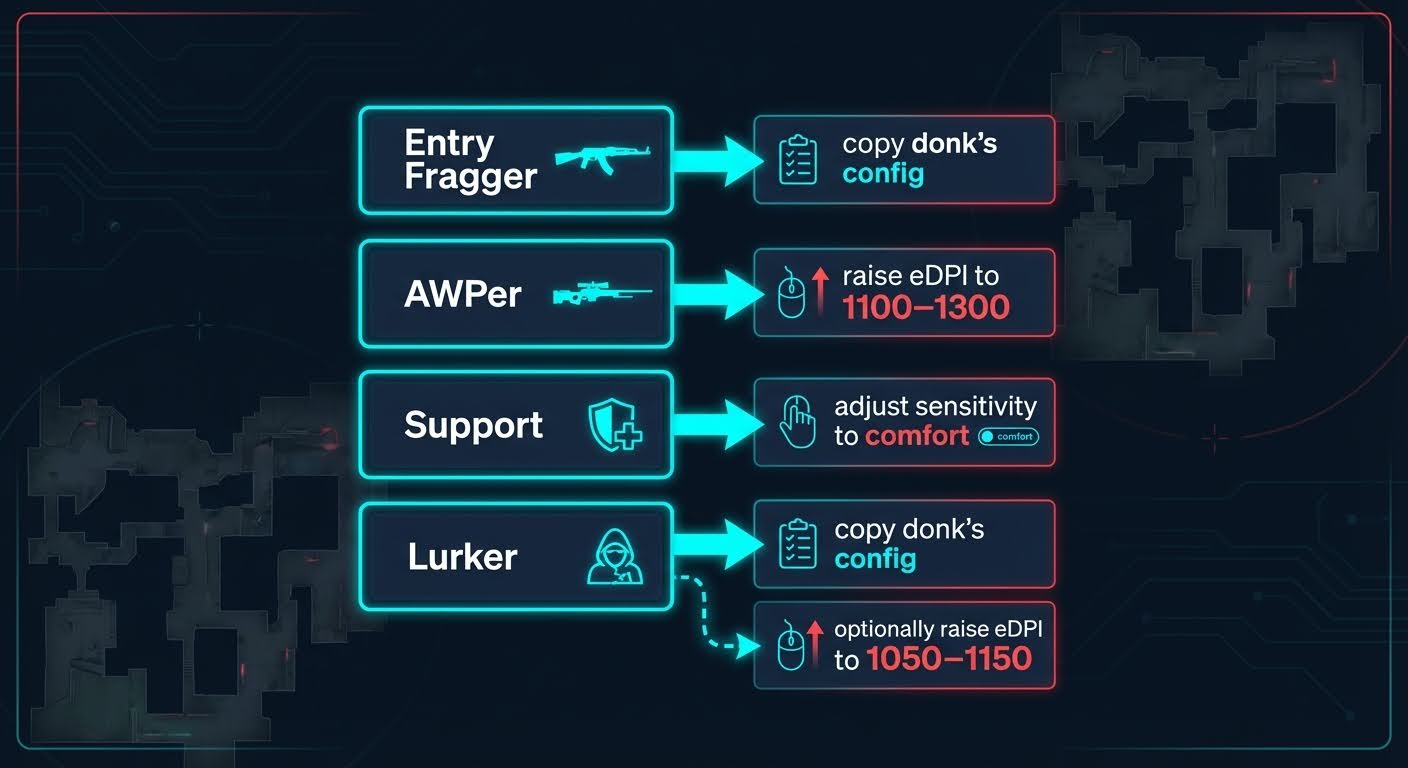
CS2 playstyles each influence settings choices differently: entry fraggers favor low eDPI for spray control; AWPers favor moderate eDPI for flick precision; support players tolerate a wider eDPI range. donk's configuration targets spray control across multiple targets, fast crosshair acquisition during executes, and consistent frame delivery at peak-intensity moments.
- 1000 eDPI reduces over-correction during AK-47 and M4A4 spray patterns at medium range
- Style 4 crosshair without center dot builds manual spray compensation discipline
- High Shadow Quality at 1280x960 maintains enemy silhouette detection at competitive settings
- 4:3 Stretched widens player models ~33% versus 16:9 native (1920x1080)
- Disabled ambient occlusion reduces post-smoke visual noise, clarifying enemies as smokes clear
Adapting Settings to Your Playstyle
Player preferences – including hardware, playstyle role, and skill tier – require settings customization rather than direct copying of any professional player CS2 config. AWPers perform better at 1100–1300 eDPI for single-flick precision. Support players hold more flexibility due to longer hold durations. Lurkers overlap most with donk's CS2 settings, as lurk play mirrors the reactive 1v1 rifle duels of site entry. Players on lower-end systems should reduce Global Shadow Quality to Low and set fps_max 300 to maintain stable frame delivery.
FAQ
What CS2 settings does donk use?
CSGO-uvHZE-yUFCe-Cwifa-tKKdM-mOJvM), and 1280x960 4:3 Stretched fullscreen. Video: Shadow Quality High, textures Low, V-Sync Disabled, FPS capped at 600. Verified via prosettings.gg, updated March 2026.What is donk's CS2 sensitivity?
What is donk's crosshair code?
CSGO-uvHZE-yUFCe-Cwifa-tKKdM-mOJvM. The crosshair is Style 4, Size 1, Thickness 1, Gap -4, cyan. Import via CS2 Settings > Game > Crosshair > Share or Import – set 1280x960 Stretched before importing. donk updates his crosshair periodically; confirm the latest at prosettings.gg.How can I import donk's crosshair code into my CS2 game?
CSGO-uvHZE-yUFCe-Cwifa-tKKdM-mOJvM and click Import. Set resolution to 1280x960 Stretched first if the crosshair appears distorted.