m0NESY currently plays for Team Falcons as the starting AWPer after a three-year tenure with G2 Esports from January 2022 to April 2025. His CS2 config runs 400 DPI with 2.3 in-game sensitivity for an eDPI of 920, paired with a stretched 1280x960 resolution and a small cyan Classic Static crosshair.
Ilya "m0NESY" Osipov, born May 1, 2005, is a Russian professional CS2 player who HLTV ranked 2nd best in the world for 2024 and 4th best for 2023. He built his tier-one profile at G2 Esports, winning IEM Katowice 2023, IEM Cologne 2023, and BLAST Premier World Finals 2022 and 2024 with the team. The configuration documented below is the setup m0NESY runs in Team Falcons matches as of April 2026.
Key takeaways:
- m0NESY's mouse runs 400 DPI at 2.3 sensitivity, giving him an eDPI of 920.
- The crosshair is a cyan Classic Static dot-free design with gap -4 and outline enabled.
- Video settings prioritize FPS on a 4:3 stretched 1280x960 resolution.
- Hardware is Logitech-led, built around the G PRO X2 SUPERSTRIKE magnetic-switch mouse.
Who Is m0NESY and Why His Settings Matter
Ilya "m0NESY" Osipov holds four HLTV MVP medals and won BLAST Premier World Finals 2022 and 2024 with G2 Esports. HLTV has ranked m0NESY inside the global top 5 every year since 2022, peaking at 2nd place for the 2024 season.
His career began on NAVI Junior in January 2020 and progressed to G2 Esports in January 2022 via a transfer reportedly worth $600,000. The move to Falcons in April 2025 came with a reported price tag near $2.5 million. m0NESY claims 24,000 hours of CS playtime in a December 2025 stream, consistent with his start on Counter-Strike 1.6 at age five.
m0NESY's tournament schedule makes him one of the most-watched AWPers in CS2. Readers who followed his G2 Esports years and track his Team Falcons run can place bets on his matches at PLG.bet, which covers every major CS2 event including IEM, BLAST Premier, and PGL tournaments.
The Impact of Pro Settings on Performance
Professional CS2 settings create measurable advantages in input latency, visual clarity, and aim consistency. m0NESY's 1.20 HLTV rating for 2025 reflects the kind of output these optimized inputs support at the top level.
Low DPI combined with moderate sensitivity gives AWPers the fine motor control that long-range flicks require. High refresh rate monitors reduce perceived input lag. Low graphics settings maintain frame stability during firefights. Copying a pro config does not close a skill gap, but it removes hardware friction that can hold a player back.
m0NESY's CS2 Crosshair and Config Essentials
m0NESY's core config centers on three pillars: a low-DPI mouse setup, a minimal cyan crosshair, and performance-first video settings. Every value below was cross-verified against Specs.gg, ProSettings.net, BLAST.tv, and m0NESY's March 4, 2026 stream, where he walked through his configuration live and shared the HITS mouse code via Logitech G's official X account.
Setting |
m0NESY Value |
CS2 Default |
DPI |
400 |
Varies |
In-game Sensitivity |
2.3 |
2.5 |
eDPI |
920 |
N/A |
Zoom Sensitivity |
1.0 |
1.0 |
Polling Rate |
2000 Hz |
Varies |
Resolution |
1280x960 |
Native |
Aspect Ratio |
4:3 (Stretched) |
16:9 |
Crosshair Style |
Classic Static (4) |
Default (2) |
Crosshair Color |
Cyan (0, 255, 255) |
Green |
Viewmodel FOV |
68 |
60 |
Shadow Quality |
High |
Medium |
Texture Detail |
Low |
Medium |
Crosshair Configuration for Precision AWPing
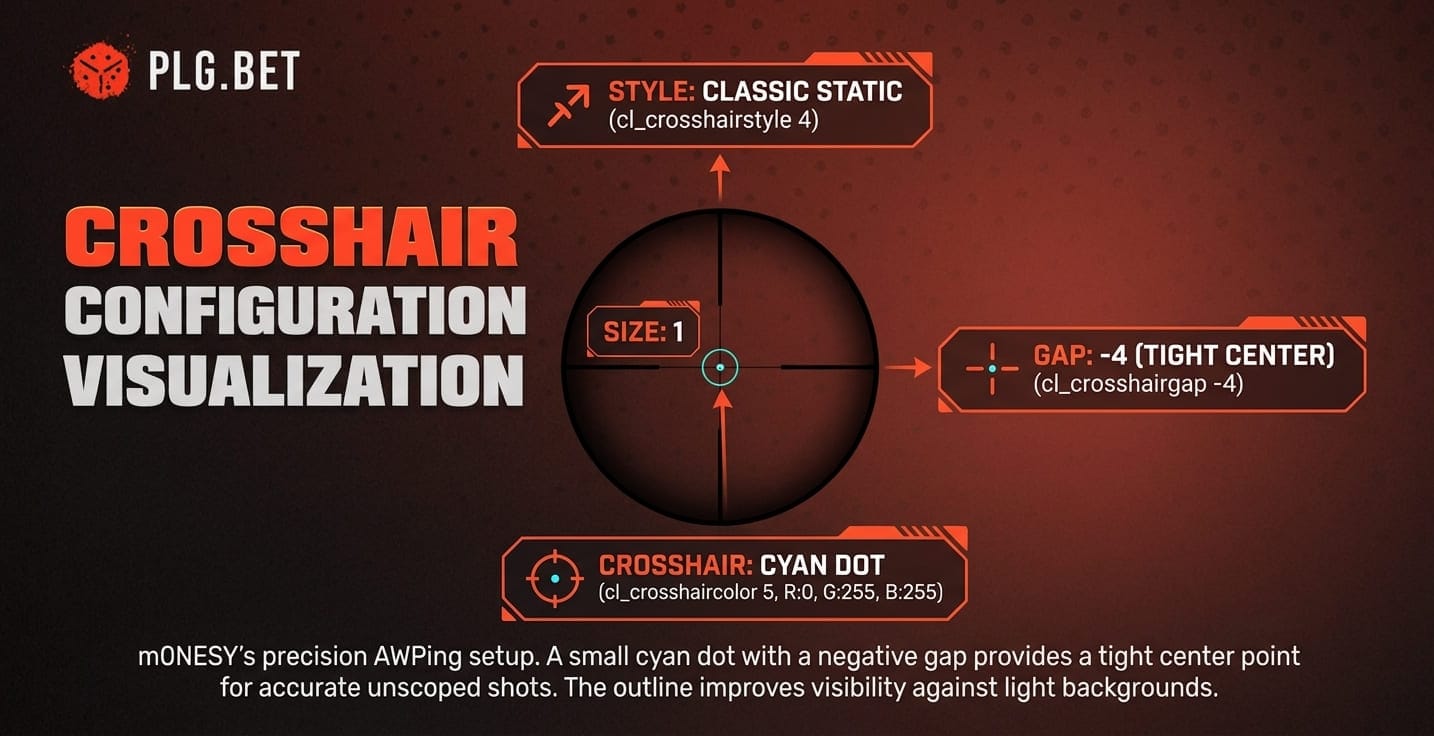
m0NESY uses a Classic Static crosshair in cyan with a small size and a negative gap for a tight center point. The code CSGO-wAD3c-ykt5L-zvZ98-vBisR-6sWPA applies every parameter in CS2. Small static crosshairs suit AWP play because they reveal the exact pixel where the bullet lands on unscoped shots.
Full console commands:
cl_crosshairstyle 4
cl_crosshairsize 1
cl_crosshairthickness 1
cl_crosshairgap -4
cl_crosshairdot 0
cl_crosshair_drawoutline 1
cl_crosshaircolor 5
cl_crosshaircolor_r 0
cl_crosshaircolor_g 255
cl_crosshaircolor_b 255
cl_crosshairalpha 255
The cyan color performs well against most map palettes, and the enabled outline keeps the crosshair visible on lighter backgrounds such as Mirage middle or Ancient B site. We treat the crosshair code as the authoritative import, since the sharecode captures every setting in one string.
Mouse Settings for Perfect Flicks
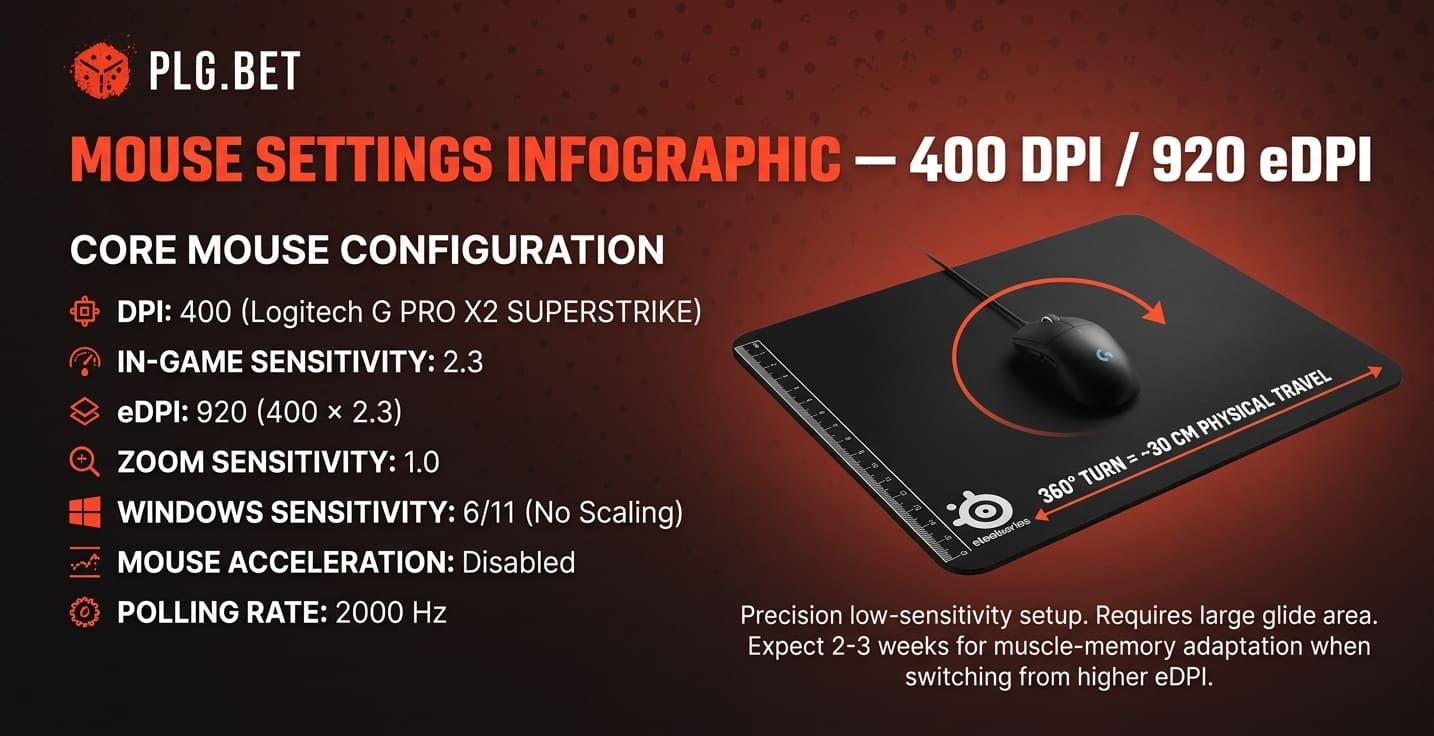
m0NESY runs 400 DPI at 2.3 in-game sensitivity on Windows sensitivity 6 of 11. The resulting eDPI of 920 sits in the low-sensitivity school favored by elite AWPers, alongside ZywOo (eDPI 560) and donk (eDPI 810).
Core mouse configuration:
- DPI: 400 on the Logitech G PRO X2 SUPERSTRIKE
- In-game Sensitivity: 2.3
- eDPI: 920 (400 × 2.3)
- Zoom Sensitivity: 1.0
- Windows Sensitivity: 6 of 11
- Mouse Acceleration: Disabled at the Windows level
- Polling Rate: 2000 Hz (some community sources report 4000 Hz)
A 360-degree turn at m0NESY's settings requires roughly 30 centimeters of physical mouse travel. Players switching from eDPI above 1200 should expect two to three weeks of muscle-memory adaptation before flick accuracy returns to baseline.
m0NESY's Viewmodel Configuration
m0NESY uses a right-handed viewmodel that pulls the weapon close to the edge of the screen and keeps it out of the sightline around his crosshair. His FOV of 68 maximizes peripheral awareness. His X offset of 2.5 and Z offset of -1.5 clear the center of the frame for AWP scope transitions.
Console commands for m0NESY's viewmodel:
viewmodel_fov 68
viewmodel_offset_x 2.5
viewmodel_offset_y 0
viewmodel_offset_z -1.5
viewmodel_presetpos 3
cl_righthand 1
cl_viewmodel_shift_left_amt 1.5
cl_viewmodel_shift_right_amt 0.75
viewmodel_recoil 0
These values sit close to the CS2 default preset for right-handed AWPers. The low Z offset pushes the rifle down so it does not obstruct the lower-right corner of the screen. Righthand stays at 1 because left-handed switches disrupt lineup practice.
Hardware Behind the Config
m0NESY's peripheral lineup is Logitech-weighted and centered on competitive-grade gear. The G PRO X2 SUPERSTRIKE mouse, Logitech G Pro X TKL keyboard, and Logitech G PRO X headset form a sponsor-aligned loadout. The monitor and mousepad are picked independently for competitive fit.
Mouse and Mousepad Selection
The Logitech G PRO X2 SUPERSTRIKE uses the HITS magnetic-switch system, which allows adjustable actuation distance for left and right clicks. m0NESY's HITS configuration code (MDAwNjA2MDEwMTExMDUwMw==) was shared by Logitech G on X in March 2026. The mouse weighs 60 grams and uses the HERO 2 sensor.
For the surface, m0NESY picks the SteelSeries QcK Heavy, a 6 mm thick cloth pad. Heavy pads reduce wrist strain during long sessions and suit low-sensitivity setups. Budget alternatives include the Logitech G640 and Artisan Zero (medium), both with similar glide characteristics at a lower price.
Monitor Setup for Competitive Advantage
m0NESY plays on a ZOWIE XL2566K running at 400 Hz with DyAc+ motion-blur reduction. The 24.5-inch Fast TN panel has 0.5 ms response time. DyAc+ sharpens motion during spray control by reducing the ghosting that occurs on 240 Hz IPS panels.
Recommended monitor adjustments:
- Refresh Rate: Set to native 400 Hz in both Windows and CS2.
- G-Sync / FreeSync: Disabled to prevent additional input latency.
- Digital Vibrance: 80% in NVIDIA Control Panel for sharper enemy outlines.
- Brightness: 35% to reduce eye fatigue across long sessions.
We recommend keeping G-Sync disabled in competitive play, since the input-latency penalty on 400 Hz panels outweighs the visual smoothness benefit.
FAQ
What are m0NESY's CS2 settings and config?
What are m0NESY's mouse settings?
What is m0NESY's crosshair?
CSGO-wAD3c-ykt5L-zvZ98-vBisR-6sWPA imports every value into CS2 directly.What are m0NESY's video settings?
What peripherals does m0NESY use?
How can I apply m0NESY's configuration settings to my own CS2 game?
viewmodel_fov 68; viewmodel_offset_x 2.5; viewmodel_offset_z -1.5.Will copying m0NESY's settings guarantee an improvement in my gameplay?
Why does m0NESY choose specific video settings for performance over visual quality?
Are m0NESY's mouse settings ideal for all types of CS2 players, or mainly for AWPers?
What are common mistakes players make when trying to use pro settings like m0NESY's?
m0NESY's configuration reflects over 15 years of CS experience and uses Logitech hardware verified by ProSettings.net and Specs.gg through April 2026. These are the current publicly tracked values for a player HLTV ranked 2nd for 2024. For live matches featuring Team Falcons across IEM, BLAST Premier, and PGL tournaments, PLG.bet's esports sportsbook covers every major CS2 event alongside its casino and Originals catalog.
Gambling is for entertainment only and intended for adults aged 18+. Play responsibly. For support: BeGambleAware.org or GamCare.org.uk.