Oleksandr "s1mple" Kostyliev plays for BC.Game as an AWPer in 2026. The core setup: Logitech G Pro X Superlight 2 at 400 DPI, in-game sensitivity 3.09, eDPI 1,236.
CS2 crosshair code: CSGO-3wUf2-ww3TH-UpeGX-s5RjT-fxwPB. Resolution 1280×960, 4:3 stretched, fullscreen on a 360Hz BenQ Zowie XL2566K. Launch options: -freq 360 -novid -console +fps_max 0.
s1mple's Mouse Settings & Sensitivity
s1mple's mouse setup pairs flagship hardware with high eDPI for the AWPer role. The numbers below show how the hardware supports his flick-heavy AWP style.
s1mple's Mouse Hardware – What Mouse Does s1mple Use?
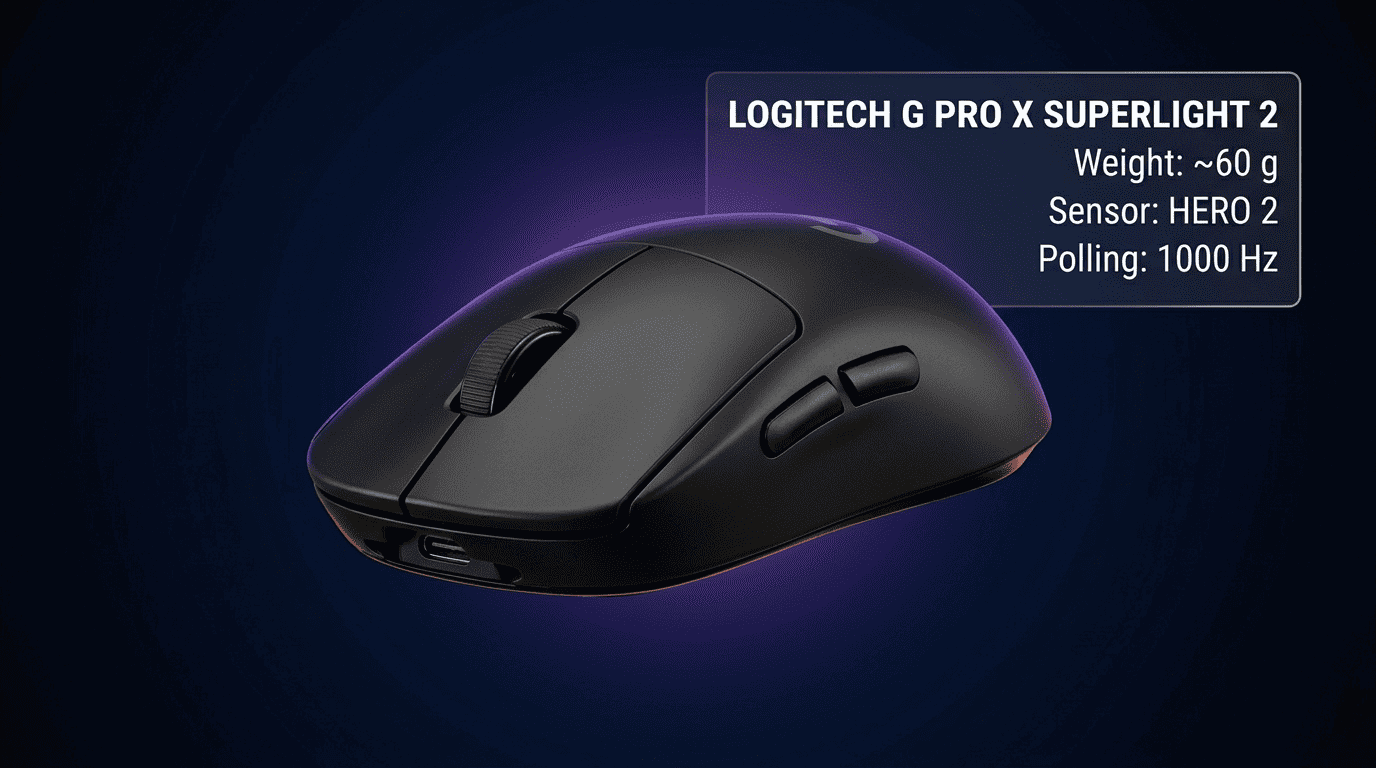
s1mple plays on the Logitech G Pro X Superlight 2, one of the most-used wireless mice in pro CS2.
The Superlight 2 weighs around 60 grams and runs the HERO 2 sensor over Lightspeed wireless. s1mple polls at 1000Hz, the standard for pro CS2 even on mice that support higher rates.
The pad: Hator s1mple signature edition.
s1mple's Sensitivity & eDPI – The Numbers and the Logic
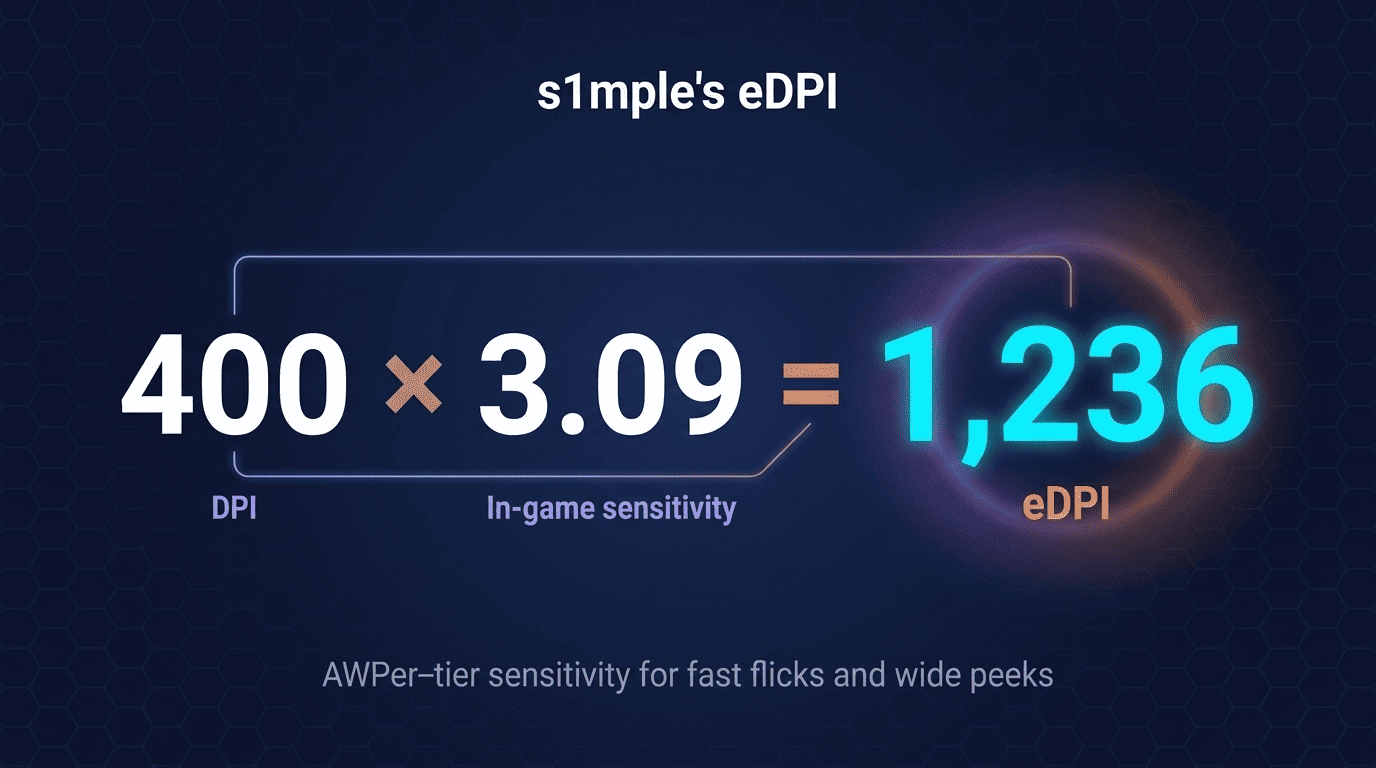
s1mple's mouse configuration in CS2:
- DPI: 400
- In-game sensitivity: 3.09
- eDPI: 1,236
- Zoom sensitivity: 1.0
- Windows sensitivity: 6/11
- Polling rate: 1000Hz
- Raw input on, mouse acceleration off
An eDPI of 1,236 sits high for an AWPer, and that is the point. s1mple flicks aggressively and peeks wide, so a higher eDPI cuts the hand-travel per snap.
If you copy the number cold, expect overshooting. Drop your current sensitivity by no more than 20% per change.
s1mple's Crosshair Settings for CS2
The s1mple crosshair gets imported across thousands of CS2 accounts every week. Code first, then the reasoning behind each design choice.
s1mple's Crosshair Code & Console Commands
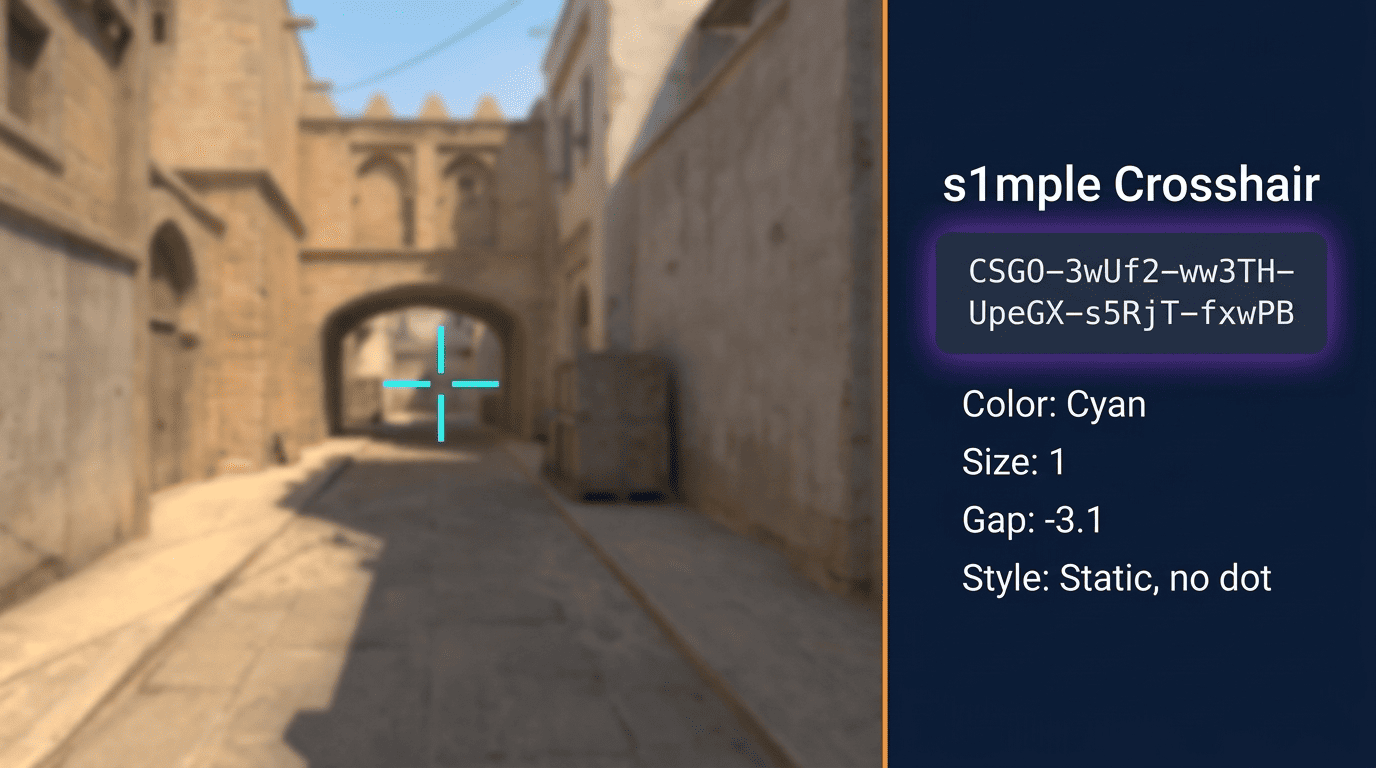
s1mple's current CS2 crosshair code: CSGO-3wUf2-ww3TH-UpeGX-s5RjT-fxwPB.
Import path: Settings → Game → Crosshair → Import. Individual console commands:
cl_crosshairstyle 4(static)cl_crosshaircolor 5(custom)cl_crosshaircolor_r 0;cl_crosshaircolor_g 255;cl_crosshaircolor_b 255(cyan)cl_crosshairsize 1cl_crosshairthickness 1cl_crosshairgap -3.1cl_crosshairdot 0cl_crosshair_recoil 0
Snapshot codes from earlier 2026 matches differ. The version above matches his current HLTV footage and ProSettings entry.
Why s1mple Uses This Crosshair – Design Philosophy
Each setting maps to a reason in Counter-Strike 2. Static style fixes the crosshair during sprays, so you read recoil.
Cyan reads cleanly across Mirage stone, Inferno wood, and Ancient jungle green. Size 1 with a gap of -3.1 pulls the four lines into a single point. That fits a precision-first AWP style.
Dot and outline stay off; either would clutter the aim pixel. Bump thickness up on bright maps.
s1mple's Video & Resolution Settings for CS2
Video settings are the hardest part of any pro config to pin down. s1mple's BenQ Zowie XL2566K and his in-game CS2 options work as one system.
s1mple's Resolution & Aspect Ratio – Why 1280×960 Stretched?
s1mple runs 1280×960 at 4:3 stretched in fullscreen. Stretched mode pulls the 4:3 image horizontally across the full 16:9 panel. Enemy models look wider and easier to track.
The real reason elite pros stick with stretched is muscle memory from a decade of CS:GO. Not raw FPS gain. The 360Hz BenQ panel runs the stretched signal natively through -freq 360.
If you started CS2 on native 1920×1080, stay there. Native widescreen is the better default for fresh muscle memory.
s1mple's Graphics Settings – Full Breakdown
All values below cover Counter-Strike 2 graphics on the BenQ Zowie XL2566K, post-December 2025 patch.
| Setting | s1mple's Value | Why It Matters |
| Refresh Rate | 360Hz | Matches panel max |
| Aspect Ratio | 4:3 | Wider models when stretched |
| Resolution | 1280×960 | FPS headroom |
| Display Mode | Fullscreen | Lowest input lag |
| Brightness | 100 to 119% | Dark corner visibility |
| V-Sync | Disabled | No 16ms frame lock |
| Boost Player Contrast | Disabled | Vibrance covers it |
| Multisampling AA | 8x MSAA | Sharp model edges |
| Global Shadow Quality | High | See note below |
| Model / Texture Detail | Models High, world Low | FPS without losing models |
| Shader / Particle Detail | Low | Cuts smoke render cost |
| Ambient Occlusion | Disabled | Removes feet shading noise |
| HDR | Disabled | Adds input lag in Source 2 |
| NVIDIA Reflex | Disabled | Hardware latency preferred |
| FidelityFX SR | Disabled | No upscaling at native res |
Shadow quality is the contested CS2 setting. Most 2026 sources log it as High, with a single config snapshot showing Low.
s1mple's Launch Options – s1mple Config & CFG
Launch options live in Steam → Library → CS2 → Properties. s1mple uses four commands:
-freq 360: forces 360Hz refresh (replace with your monitor’s max Hz)-novid: skips the Valve intro-console: opens the developer console at startup+fps_max 0: removes FPS cap
Skip the legacy CS:GO options. Commands like -threads 8 and -high no longer apply on Source 2.
The config file lives at Steam/userdata/[SteamID]/730/local/cfg/. Drop a copy of his autoexec.cfg into that folder.
s1mple's Full Gear & Setup
Hardware and settings work as one system. The 360Hz panel is why -freq 360 exists in the launch options. Peripheral choices reflect personal taste more than convention.
Monitor Settings – s1mple's BenQ Zowie XL2566K Config
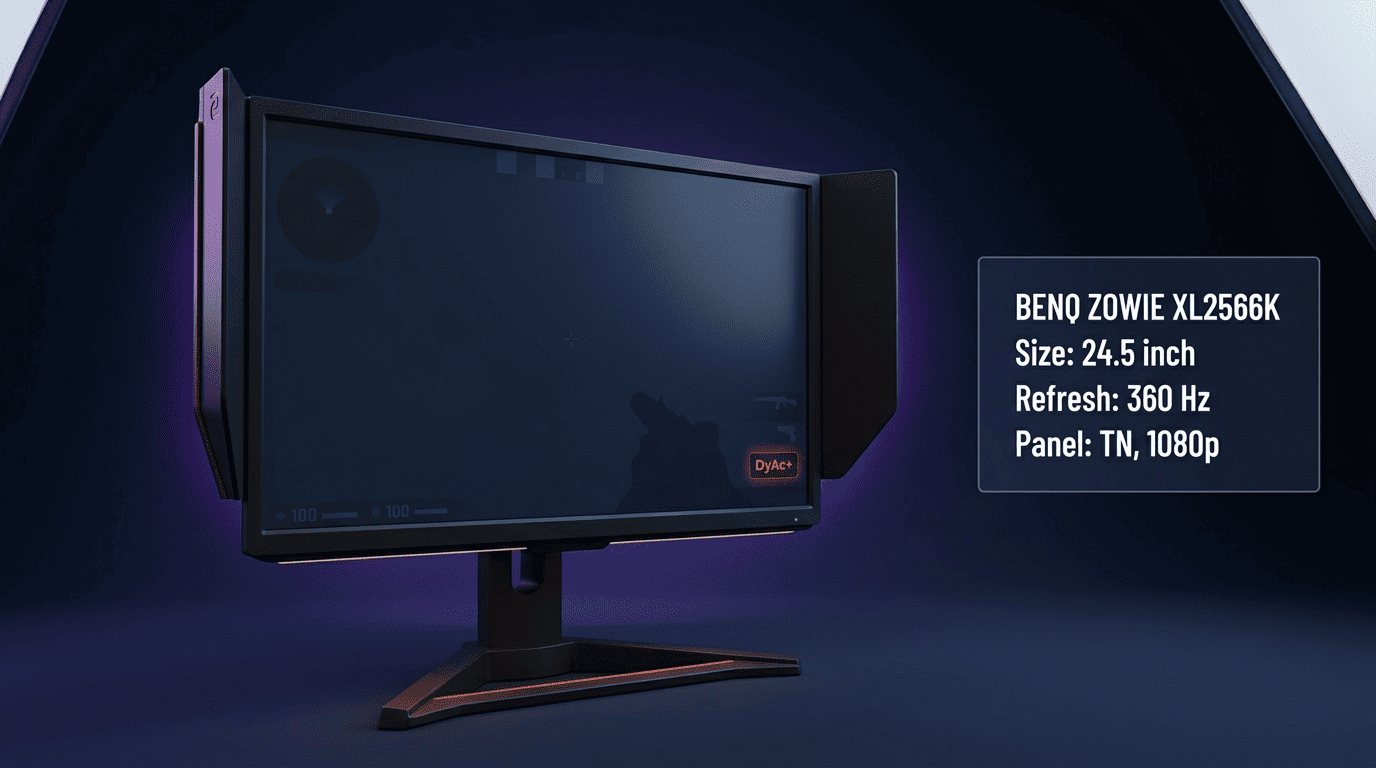
s1mple's BenQ Zowie XL2566K is a 24.5-inch, 360Hz TN panel at 1080p native. OSD values:
- DyAc Premium: on
- Black eQualizer: 10
- Color Vibrance: 12
- Brightness 80, Contrast 60, Sharpness 5, Gamma 3
- Color Temperature: Normal
Black eQualizer 10 lifts dark-area detail; enemies in Nuke shadows read clearly.
Keyboard, Headset & Mousepad
| Peripheral | Model | Key Spec |
| Keyboard | Logitech G Pro X TKL Lightspeed (Black) | Wireless tenkeyless, GX switches |
| Headset | Logitech G PRO X 2 (Magenta) | 50mm graphene drivers |
| Mousepad | Hator "It's nice to be s1mple" | Large cloth |
The TKL layout is standard for pros, freeing up mousepad space on the right side for wide arm swings.
How to Actually Apply s1mple's Settings – The Adaptation Guide
Blind copying costs you a week of aim. s1mple has thousands of hours of muscle memory at 3.09 sens.
The sequence:
- Back up your config at
Steam/userdata/[SteamID]/730/local/cfg/ - Audit hardware first. Swap
-freq 360for your monitor’s max Hz - Apply in stages. Video and launch options first, sensitivity last
- Test offline. Bot DM reveals the rough patches
- One variable at a time. Otherwise you cannot tell what broke
Settings are a foundation, not a ceiling. Once your config feels stable, place a bet on s1mple's next BC.Game match on the CS2 esports markets at PLG.bet.
FAQ
What is s1mple's crosshair code in CS2?
CSGO-3wUf2-ww3TH-UpeGX-s5RjT-fxwPB. It loads a static, cyan, size-1 crosshair with a gap of -3.1 and no center dot. Import path: Settings → Game → Crosshair → Import.What is s1mple's eDPI?
What mouse does s1mple use?
That covers s1mple's full 2026 config. Open PLG.bet to follow his BC.Game matches on the esports book and play CS2 Originals on the same account.