Mathieu "ZywOo" Herbaut runs Counter-Strike 2 on 400 DPI with 2.0 in-game sensitivity – eDPI 800. He plays a Classic Static white crosshair (RGB 255/255/255), importable with code CSGO-33tjH-QWX3U-KcSnD-wu3wu-i2pxA.
His monitor of choice, the BenQ ZOWIE XL2586X+, pushes 600 Hz at 1280×960 stretched 4:3 fullscreen. Viewmodel FOV sits at 68 on the Desktop preset.
Launch options stay short: -novid -tickrate 128 -allow_third_party_software. The autoexec carries grenade binds, buy binds, and console tweaks the in-game menu hides. Values cross-checked against ProSettings and cybershoke.net.
Launch options stay short: -novid -tickrate 128 -allow_third_party_software. The autoexec carries grenade binds, buy binds, and console tweaks the in-game menu hides. Values cross-checked against ProSettings and cybershoke.net.
Quick Settings Reference
| Category | Key Values |
| Mouse | 400 DPI / 2.0 Sens / 800 eDPI |
| Crosshair | Classic Static / Code CSGO-33tjH-QWX3U-KcSnD-wu3wu-i2pxA |
| Video | 1280×960 / 4:3 Stretched / Fullscreen |
| Viewmodel | FOV 68 / Desktop Preset |
ZywOo's CS2 Mouse Settings
His 800 eDPI sits mid-range among CS2 pros (most cluster between 600 and 1000), which makes it easy to copy.
| Setting | Value |
| DPI | 400 |
| Sensitivity | 2.0 |
| eDPI | 800 |
| Zoom Sensitivity | 1.0 |
| Polling Rate | 1000 Hz |
| Windows Sensitivity | 6/11 |
| Raw Input | On |
| Mouse Acceleration | Off |
Sharp viewers track his consistency at 800 eDPI on CS2 betting platforms like PLG.bet – his numbers hold under pressure because his setup does.
ZywOo's Sensitivity & eDPI Explained
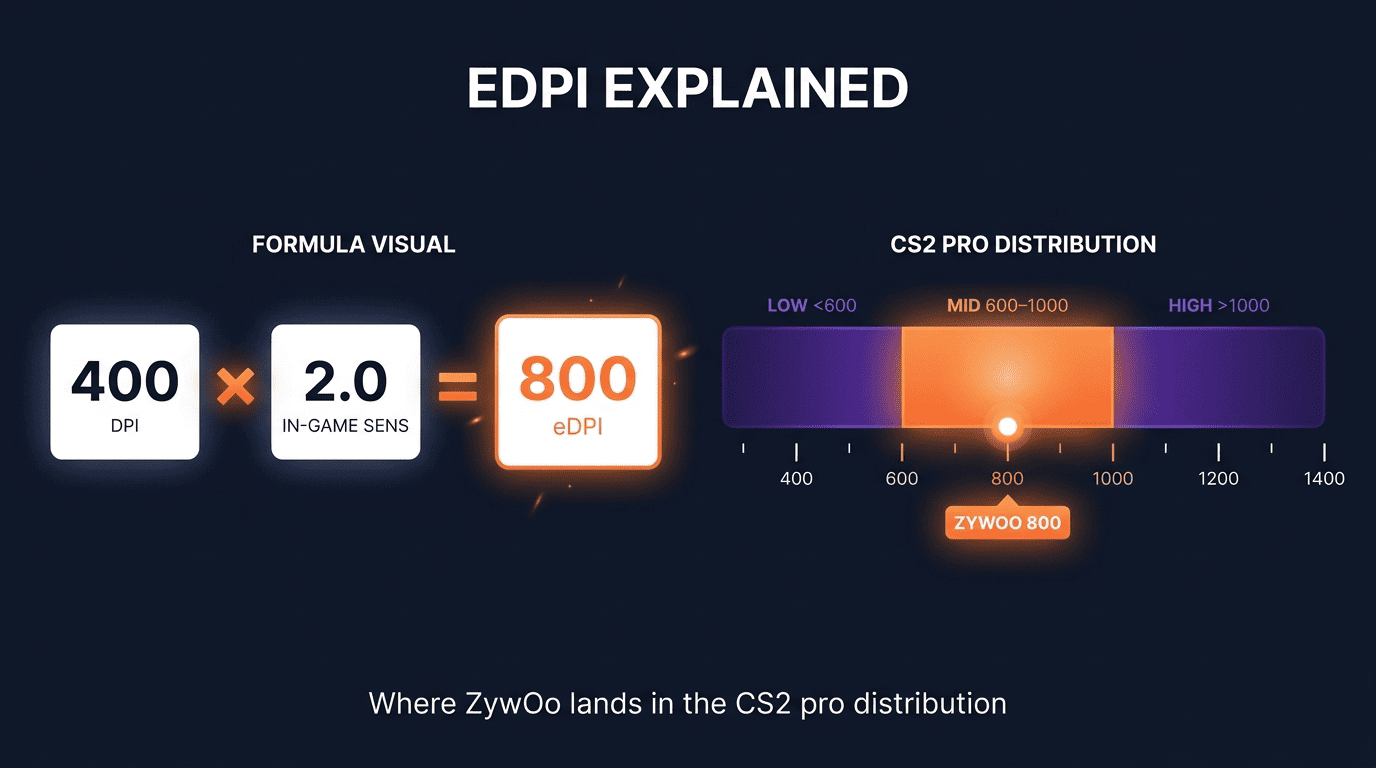
eDPI formula: DPI × in-game sensitivity. ZywOo's 400 × 2.0 = 800, the same neighborhood as donk and m0NESY. Muscle memory takes one to two weeks to adapt.
ZywOo's Crosshair Settings
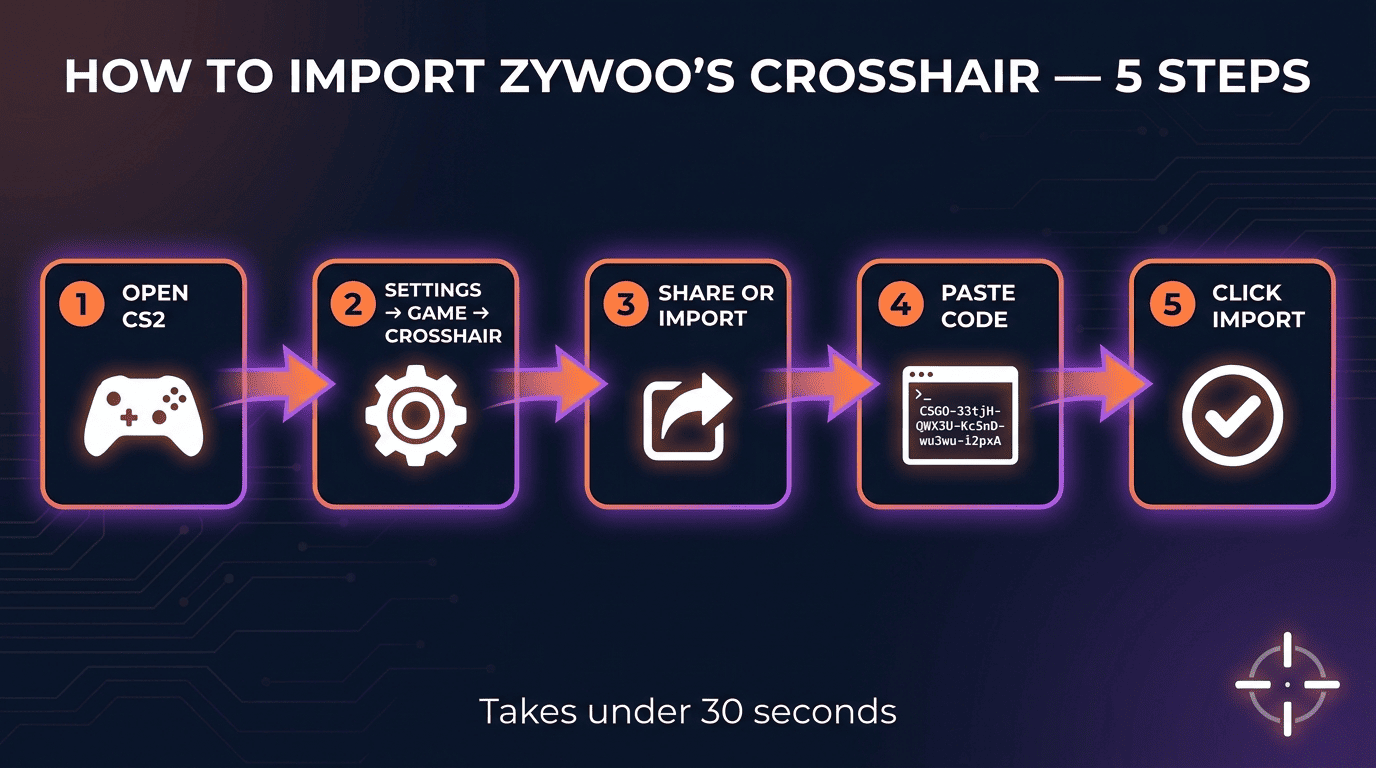
CSGO-33tjH-QWX3U-KcSnD-wu3wu-i2pxA.
Classic Static holds the crosshair shape steady on every action, which forces clean placement discipline. The white color reads against every CS2 map palette without losing contrast.
| Setting | Value |
| Style | Classic Static (4) |
| Length | 1.5 |
| Gap | -2.2 |
| Thickness | 0.5 |
| Color | White (255/255/255) |
| Dot | No |
| Outline | No |
| Follow Recoil | No |
How to Import ZywOo's Crosshair Code in CS2 (Step-by-Step)
- Open CS2 → Settings → Game → Crosshair.
- Click Share or Import.
- Paste
CSGO-33tjH-QWX3U-KcSnD-wu3wu-i2pxA. - Click Import.
ZywOo's CS2 Video Settings
Every value serves visibility or performance stability.
Resolution & Display Settings (ZywOo's Stretched 4:3 Setup)
1280×960, 4:3 aspect, fullscreen, stretched scaling. The stretch widens enemy models on screen for easier hits.
Advanced Graphics Settings (Performance & Clarity Optimization)
- Global Shadow Quality: High (reveals enemies around corners)
- Model / Texture Detail: High
- Shader Detail: High
- Particle Detail: High
- Boost Player Contrast: Enabled
- Motion Blur: Off
- V-Sync: Off
- NVIDIA Reflex: Enabled
ZywOo's Viewmodel Settings
Most pros skip viewmodel tuning. Tweak it well and the weapon clears more of the screen.
| Setting | Value |
| FOV | 68 |
| Preset | Desktop (1) |
| Offset X | 2.5 |
| Offset Y | 0 |
| Offset Z | -1.5 |
| Right Hand | Yes |
viewmodel_fov 68; viewmodel_offset_x 2.5; viewmodel_offset_y 0; viewmodel_offset_z -1.5; viewmodel_presetpos 1
ZywOo's Weapon Animation Settings
Weapon bob commands run separate from viewmodel position: cl_bob_lower_amt 5, cl_bobamt_lat 0.4, cl_bobamt_vert 0.25, cl_bobcycle 0.98. Reduced bob steadies pre-aim during strafes.
ZywOo's HUD & Radar Settings
Most players never touch radar settings – a quiet edge if you do.
- HUD Scale: 1.0
- HUD Color: Team
- Radar Centers Player: On
- Radar Rotating: On (icon always points up, more intuitive callouts)
- Radar HUD Size: 1
- Radar Map Zoom: 0.4
ZywOo's Launch Options
ZywOo keeps launch options minimal: -novid -tickrate 128 -allow_third_party_software. The -tickrate 128 flag affects local/offline servers and workshop maps; it does not change tickrate on Valve matchmaking.
To add: Steam → right-click CS2 → Properties → Launch Options → paste.
Ready to play? Deposit your CS2 skins on PLG.bet and try Originals. No mandatory KYC, instant for crypto and CS2 skins.
ZywOo's CS2 Config File: Download & Apply (ZywOo CFG)
A .cfg file holds keybinds, buy binds, and console variables the menu doesn't expose. Back up your existing autoexec first.
- Download a verified config from ProSettings or cybershoke.net.
- Drop it into
...\Counter-Strike Global Offensive\game\csgo\cfg\. - Open the Counter-Strike 2 Console in-game (
~) and typeexec [filename].
ZywOo's Additional Console Commands & Keybinds
Selective adoption beats wholesale copying. Grenade binds rank among the highest-impact changes any CS2 player can make.
Commands: cl_crosshair_recoil 0, m_pitch 0.022, m_yaw 0.022, sensitivity 2, zoom_sensitivity_ratio 1
Keybinds:
- Walk: Mouse5
- Crouch: Left Shift
- Reload: F
- Drop: Mouse3 (wheel click)
- Jump: Spacebar
ZywOo's Gaming Gear & Full Setup
Gear matters less than settings and practice.
| Item | Model | Spec | Detail |
| Mouse | Pulsar ZywOo The Chosen Gen.2 | 400 DPI | 1000 Hz polling |
| Keyboard | ASUS ROG Falchion Ace HFX ZywOo Edition | HFX magnetic | Rapid trigger |
| Monitor | BenQ ZOWIE XL2586X+ | 600 Hz | 1080p Fast-TN |
The ZOWIE XL2586X+ suits high-refresh competitive play; the ASUS-built Falchion Ace HFX adds rapid trigger. Also: SteelSeries Arctis Nova Pro headset, The Chosen Mousepad, AMD Ryzen 7 9800X3D CPU, NVIDIA GeForce RTX 5080 GPU.
ZywOo's CS2 In-Game Loadout (Weapon Skins & Cosmetics)
Recent matches show AWP | Gungnir, AK-47 | Gold Arabesque, M4A1-S | Printstream, M9 Bayonet | Doppler Ruby, and Specialist Gloves | Crimson Kimono in rotation. Settings underneath the skins do the real work.
ZywOo's Monitor Settings (ZOWIE XL2586X+ Configuration)
Monitor settings sit at the hardware level and influence visibility as much as in-game options.
- DyAc 2: Premium (backlight-strobing cuts motion blur on sprays)
- Black eQualizer: 12 (brightens dark areas)
- Color Vibrance: 20 (enemy outlines pop against terrain)
- Brightness: 83, Contrast: 50, Sharpness: 10, Gamma: 3
How to Actually Improve Like ZywOo (Beyond Copying Settings)
Settings give you the foundation, not the building. Sharp viewers also track these fundamentals when they bet on CS2.
- Study HLTV demos and verified configs on ProSettings.net frame by frame.
- Run aim_botz for 15 minutes before queuing.
- Deathmatch with the weapon you struggle with most.
- Hold crosshair at head level every corner.
- Review your own demos for positioning.
Who Is ZywOo?
Mathieu "ZywOo" Herbaut, born November 9, 2000 in France, plays primary AWPer for Team Vitality. He holds a record four HLTV Player of the Year titles (2019, 2020, 2023, 2025) and three Major MVPs (BLAST.tv Paris 2023, BLAST.tv Austin 2025, StarLadder Budapest 2025).
Catch the next Vitality match? Follow it on PLG.bet with a sportsbook bet alongside Originals. Sign up in under a minute, no mandatory KYC. Create your account →
FAQ
How Do You Use Crosshair Codes in CS2?
What Is ZywOo's Mouse Sensitivity and DPI in CS2?
How Can I Download and Apply ZywOo's Exact CS2 Config File (.cfg)?
What Specific Keyboard Model Does ZywOo Use for CS2?
What Are ZywOo's Monitor and Resolution Settings for CS2?
What Is ZywOo's eDPI?
Does ZywOo Use Rapid Trigger?
What Are ZywOo's Current Video and Graphics Settings for Best Performance?
Why Does ZywOo Use a Stretched Resolution in CS2?
Have ZywOo's CS2 Settings Changed Significantly from His CS:GO Settings?
ProSettings.net maintains the most frequently updated profile, with cross-checks against tournament POV footage and player-confirmed values. Cybershoke.net is a solid second source for the raw config file download.